
Instagram Feed Size Formatter
Resize and format photos for Instagram without unwanted cropping. Fit images into 1:1 square, 4:5 portrait, and 9:16 full-screen with blurred or color borders.
Drop photo to format for Instagram
Instant 1:1 Square, 4:5 Portrait, or 9:16 Story cropping with adjustable focal point
Real Result: Before vs AfterSofiia · Ukrainian Minimalist Street Style
Feed Size Formatter Optimization
+100% No-Crop Preservation
BEFORE (Raw Landscape Image)Harsh white sidebars & awkward crop
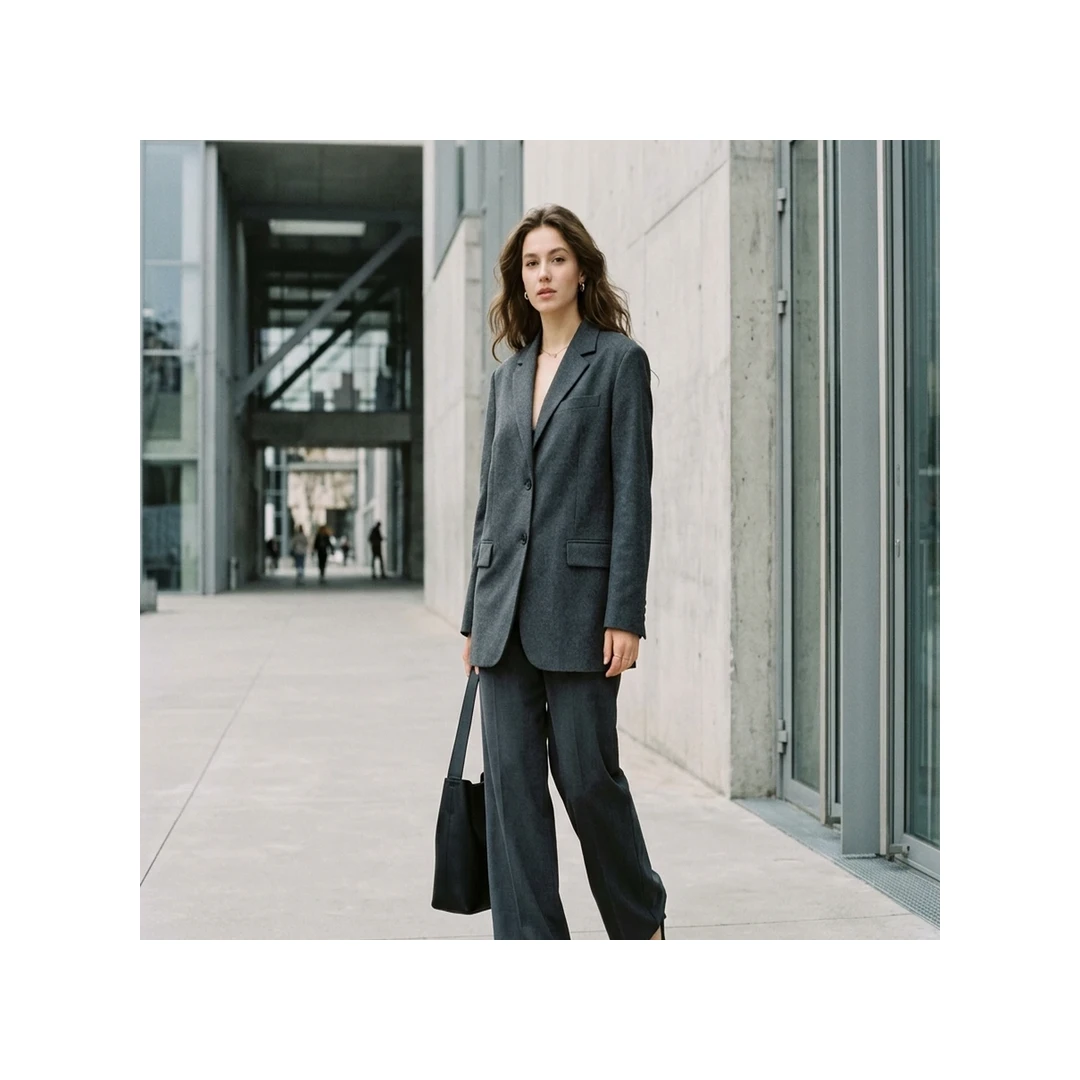
BEFORE
Harsh white sidebars & awkward crop
AFTER (4:5 Ambient Blur Format)1080 × 1350 px · +58% Feed Reach
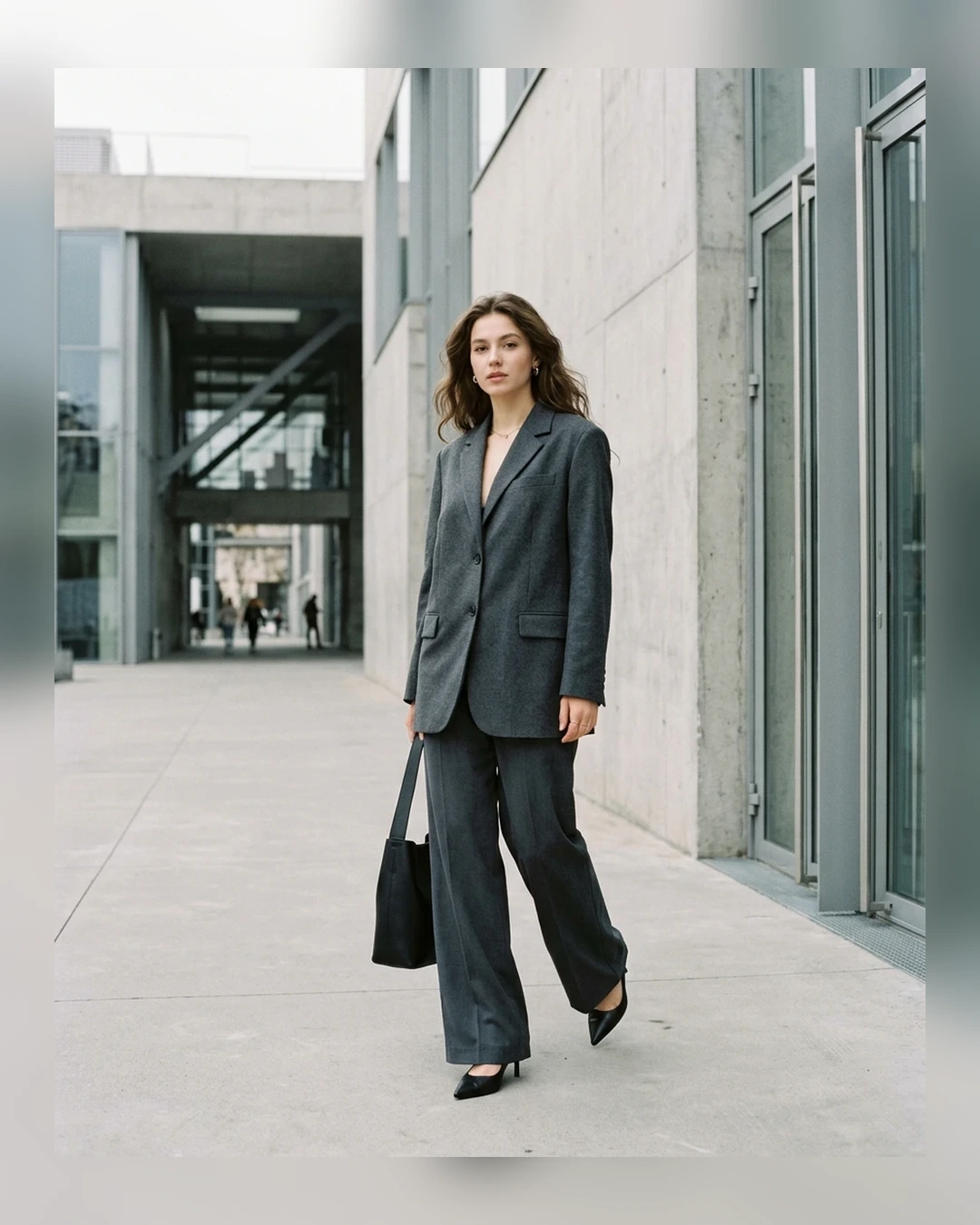
AFTER · OPTIMIZED
1080 × 1350 px · +58% Feed Reach · +100% No-Crop Preservation
💡 Key Difference: Places Sofiia's charcoal tailored street-style portrait into 4:5 with ambient blurred wings and aesthetic drop shadow, avoiding cropping while maximizing mobile feed screen real estate.
Next in your workflow:
Simple Steps
How to Use the Instagram Feed Size Formatter
01No Size Restrictions
Upload your photo
Select any horizontal, vertical, or panoramic image from your device.
024:5 Maximizes Screen Space
Choose aspect ratio & frame style
Pick 4:5 (recommended for maximum feed attention) and choose between Blur Background or Center Crop.
03Crisp & Uncompressed
Download at 1080px resolution
Export directly to your device ready to post to Instagram without compression artifacts.
FAQ
Instagram Aspect Ratio FAQ
What is the best aspect ratio for Instagram feed posts in 2026?+
The 4:5 portrait ratio (1080 × 1350 pixels) is the gold standard for Instagram feed posts. It takes up the maximum vertical screen space on mobile phones, keeping viewers engaged on your content longer than a standard 1:1 square.
Why does Instagram blur or distort my uploaded photos?+
If you upload an image with an unsupported aspect ratio or higher than 1080px width, Instagram will automatically compress and crop it using their aggressive internal compression algorithm. Pre-formatting your image to exact Instagram specs prevents unexpected distortion.
How does the "Blur Background" feature work?+
Instead of cropping off parts of your photo to fit a vertical or square frame, Blur Background generates an enlarged, soft-focused background from the original image itself while keeping your full subject intact in the center.
What dimensions are used for Instagram Stories and Reels?+
Instagram Stories and Reels use a 9:16 vertical ratio at 1080 × 1920 pixels.