Instagram Reels Safe Zone Overlay

Free 1080x1920 Instagram Reels safe zone overlay PNG guide. Browser preview prevents captions, profile buttons, audio tracks, and UI icons from cutting off text.

Upload Reel Video or 9:16 Graphic

Supports MP4, MOV, JPG, and PNG • Test text & logo placement against Instagram UI

Real Result: Before vs AfterDaria · Ukrainian Haute Couture Model

Reels Safe Zone Guide Optimization

100% UI Safe Zone Clearance
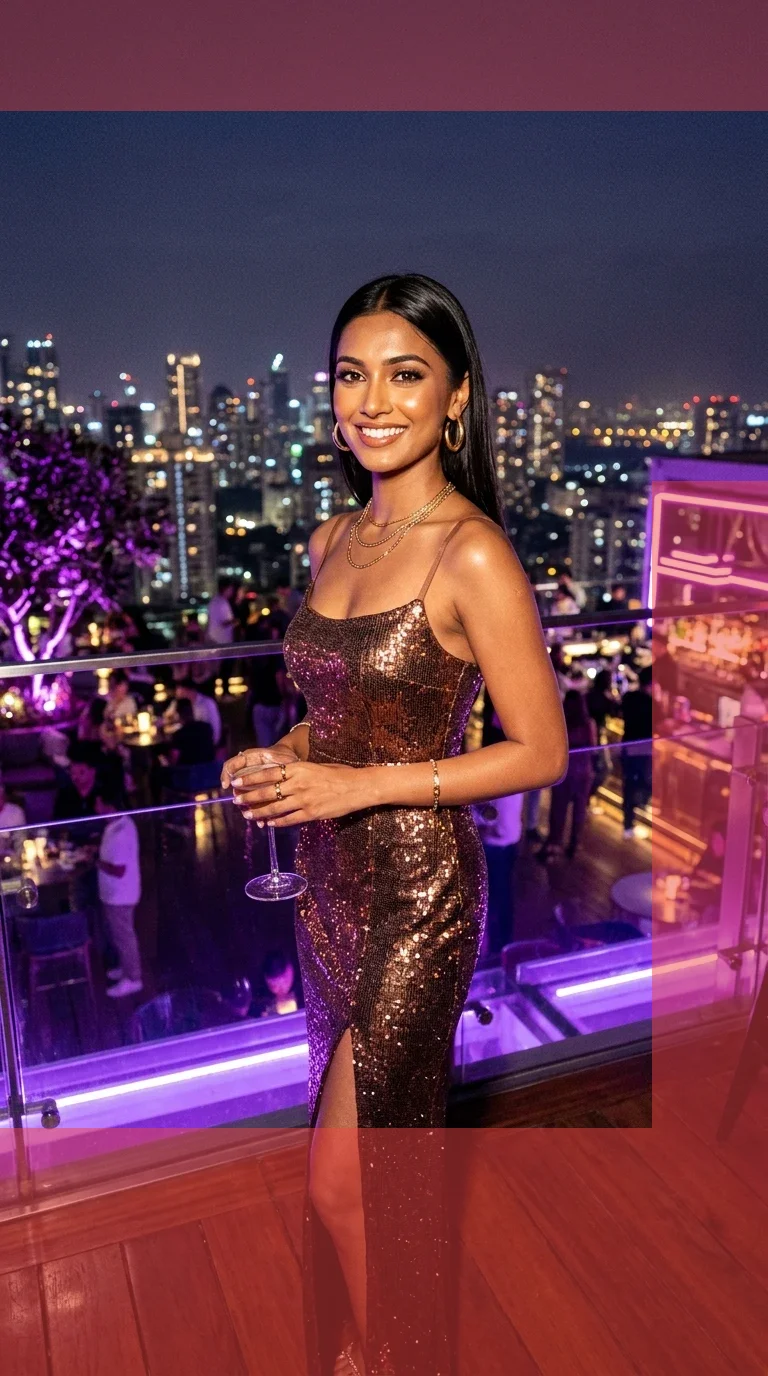
BEFORE (Unchecked 9:16 Reel)Text & subtitles blocked by IG UI
Before: Unchecked 9:16 Reel
BEFORE
Text & subtitles blocked by IG UI
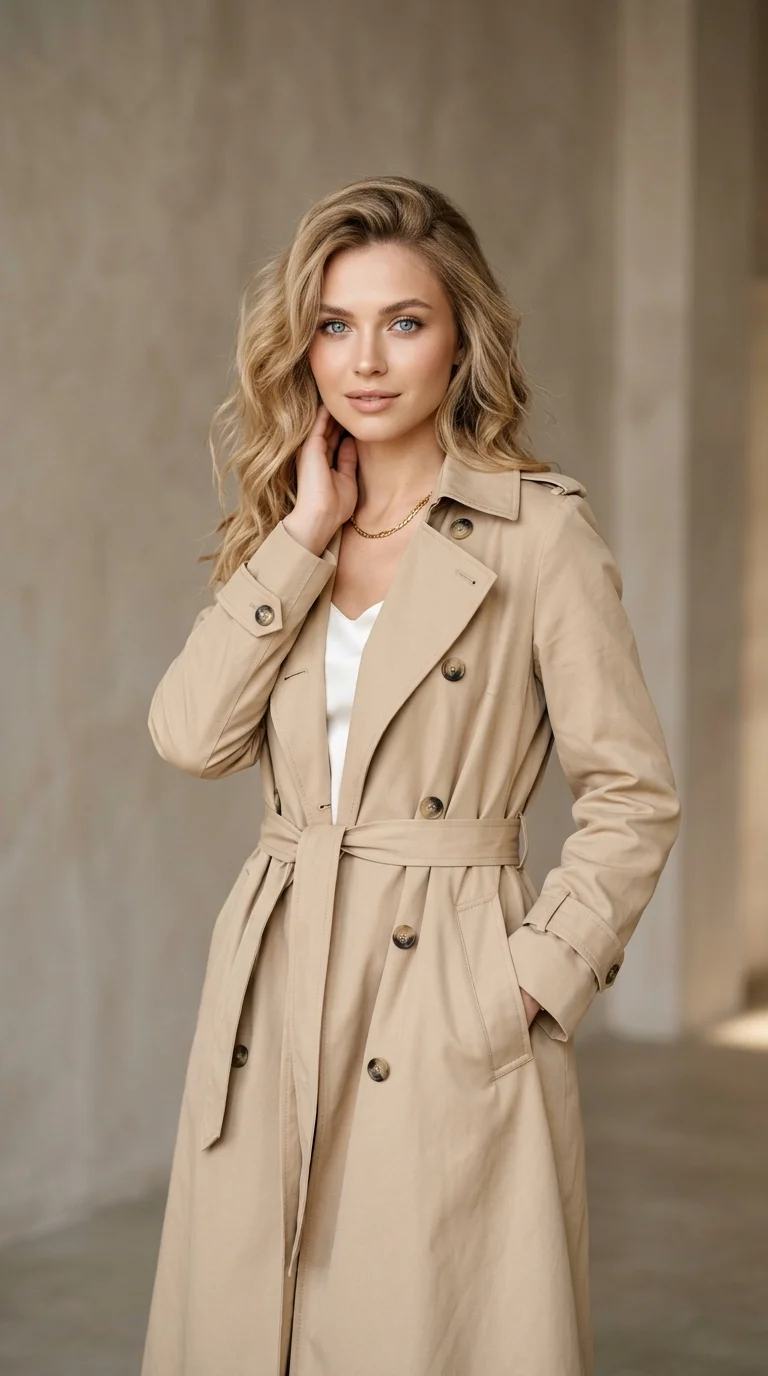
AFTER (Safe Zone Aligned)100% Readable · 0% Elements Cut Off
After: Safe Zone Aligned
AFTER · OPTIMIZED
100% Readable · 0% Elements Cut Off · 100% UI Safe Zone Clearance

💡 Key Difference: Aligns Daria's 9:16 studio portrait within Instagram's critical 220px top headroom and 420px bottom caption buffer for 100% UI safe zone clearance.

Next in your workflow:
Simple Steps

How to Use the Instagram Reels Safe Zone Overlay

011080 × 1920 Specs

Upload your video or graphic

Select your 9:16 vertical video (MP4/MOV) or static story image into the reels safe zone overlay tool.

02Adjustable Opacity

Toggle Reels safe zone overlay layers

Inspect our Instagram reels safe zone overlay 1080x1920 guide to see right-rail buttons and bottom caption cutoffs.

03Zero Cutoff Text

Review reels safe zone overlay example

Check the 4:5 profile grid preview box to verify your title card stays centered with zero cutoffs.

FAQ

Reels Safe Zone Overlay FAQ

What is the Instagram reels safe zone overlay 1080x1920 dimension in 2026?+
While full Reels videos are recorded in 9:16 (1080 × 1920 pixels), Instagram renders heavy native UI overlays (the right-side interaction rail, bottom caption gradient, and top navigation bar). The true safe area for subtitles and text overlays is approximately 1080 × 1420 pixels, keeping content at least 220px from the bottom and 140px from the top.
Can I see an Instagram reels safe zone overlay example?+
Yes! Our tool provides interactive Instagram reels safe zone overlay examples showing where user avatars, sound titles, caption expanders ("...more"), like hearts, and comment bubbles obstruct your video frames.
Can I download an Instagram reels safe zone overlay PNG?+
Yes, you can use our overlay as an in-browser reference or download the transparent reels safe zone overlay PNG guide to place directly into Premiere Pro, DaVinci Resolve, CapCut, or After Effects timelines.
Why does my Reel crop when viewed on my profile feed?+
When someone views your profile tab, Reels are previewed in a 4:5 aspect ratio (1080 × 1350 pixels), which crops 285 pixels from both the top and bottom of your 9:16 video. Our tool features a "4:5 Feed Preview Box" to ensure your title cards remain visible.
Does this reels safe zone overlay tool support video playback?+
Yes! You can upload full MP4/MOV videos and watch real-time playback while the interactive Instagram UI is overlaid on top.