
You found the perfect vintage photograph, saved a low-resolution product image, or captured a cropped smartphone snapshot—only to discover it turns into a pixelated, blurry mess when stretched to fit an Instagram post, website banner, or print canvas.
If you search Google for "free AI image upscaler", you are greeted with dozens of shiny landing pages promising "instant 4K enhancement." But the moment you drop your photo, the reality hits: forced sign-up modals, 2-credit trial caps, 3-minute cloud queues, and obnoxious watermarks stamped across your face unless you surrender a $19/month credit card subscription.
So what is genuinely the best free AI image upscaler tool in 2026? We benchmarked the most popular web tools, open-source desktop software, and neural models across sharpness, artifact removal, data privacy, and actual zero-cost accessibility.
01Quick Answer: What is the Best Free AI Image Upscaler?
If you want the short answer without wading through marketing jargon, the verdict depends on where and how you want to work:
🏆 Gram Toolkit AI Image Upscaler
Why it wins: Zero installation, zero cloud uploads, zero watermarks, and no sign-up required. Runs an authentic ESRGAN Slim neural model locally on your browser GPU via WebGL. You get genuine 2×, 4×, and 4K super-resolution with complete personal photo privacy.
💻 Upscayl (Open Source Desktop)
Why it wins: 100% free open-source software (Linux, macOS, Windows) that uses your local Vulkan-compatible discrete GPU (Nvidia/AMD/Apple Silicon). Ideal for processing hundreds of images in batch queues without internet connectivity.
02How AI Image Upscaling Works Under the Hood
To understand why AI upscaling looks so much cleaner than traditional editing tools, you need to understand the difference between pixel interpolation and neural super-resolution.
Bicubic & Bilinear Interpolation (Mathematical Guessing)
When you stretch a 500px image to 2000px in Photoshop or MS Paint, the software does not possess any understanding of what the image depicts. It calculates an average color between two neighboring pixels and duplicates them. If pixel A is black and pixel B is white, it inserts grey pixels in between. The result is a muddy, blurry, smeared image with zero added sharpness.
ESRGAN (Enhanced Super-Resolution Generative Adversarial Networks)
ESRGAN utilizes deep neural networks (Residual-in-Residual Dense Blocks) trained on millions of high-resolution photographic and illustrative datasets. The model analyzes low-frequency structural shapes (like an eye, a brick wall, or a typography stroke) and synthesizes authentic high-frequency micro-details that logically belong in that object. It reconstructs sharp eyelashes, realistic skin pores, and crisp vector edges without distorting your original subject.
Diffusion Hallucination (Magnific / Midjourney / Krea)
Diffusion upscalers run heavy cloud generative models that treat your image like a prompt. Instead of reconstructing original pixel information, they "hallucinate" brand-new synthetic textures, completely altering eye shapes, clothing stitching, and small text. While visually stunning for fantasy concept art, diffusion hallucination frequently ruins product photos, logos, and authentic family portraits.
Upscale Your Image Right Here (100% Free & No Watermark)
Test our free in-browser AI upscaler below. Your image is processed locally on your computer or phone GPU via WebGL using an optimized ESRGAN model—no files are uploaded to any server.
Drop your image here, or browse files
PNG, JPG, WebP up to 30MB • Up to 4K Ultra HD • Zero Laptop Lag
Real Creator Results: Drag Divider to Compare
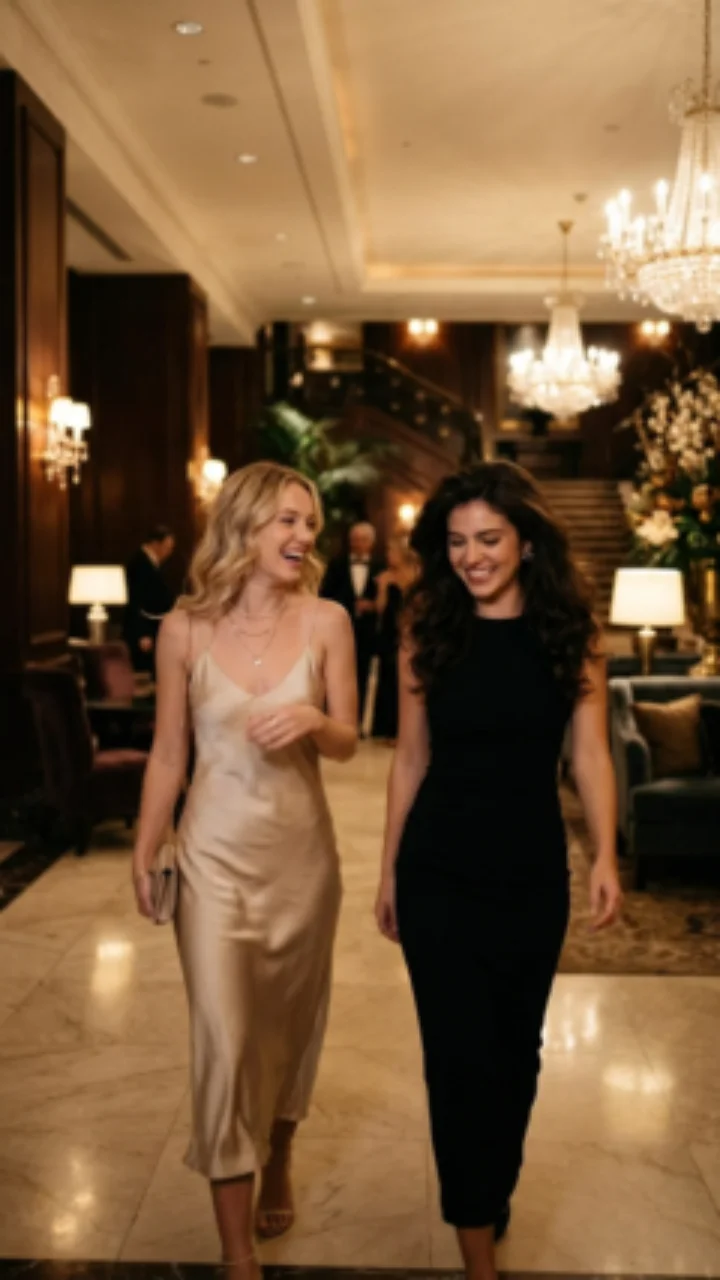
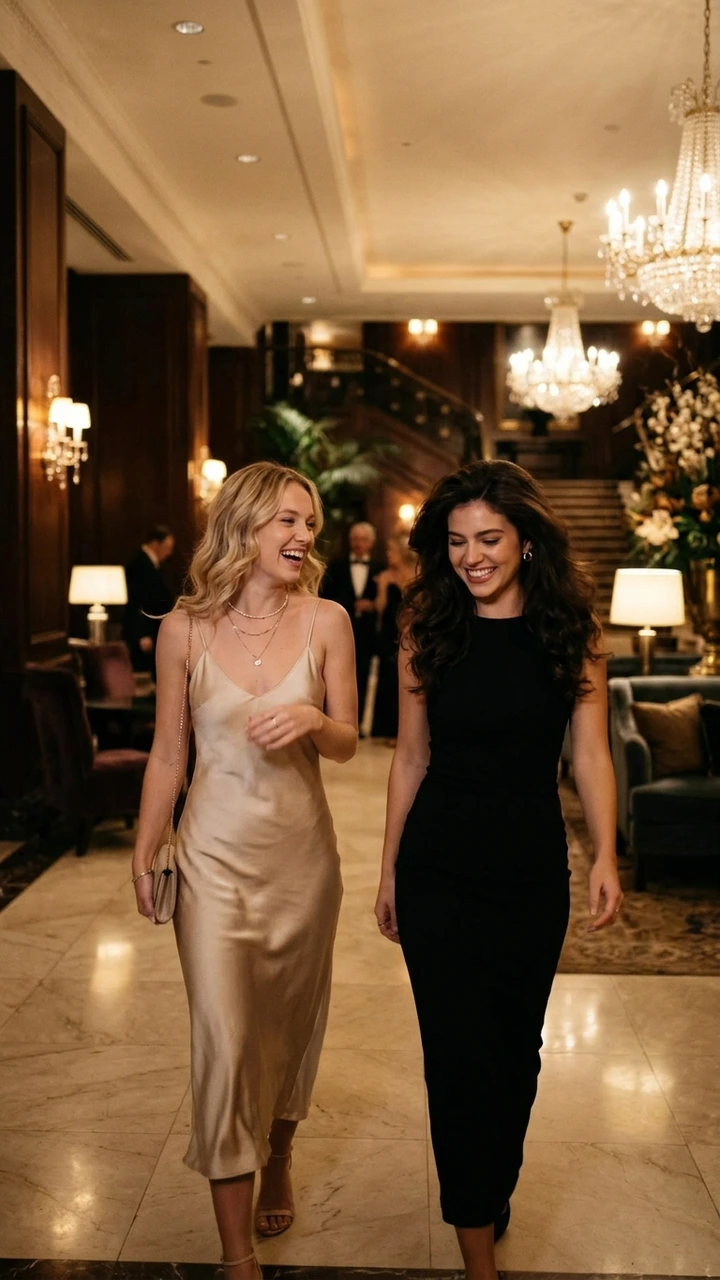
042026 Comparison Matrix: Top 6 Free AI Upscalers
To help you select the ideal tool for your workflow, here is how the 6 most prominent AI upscalers compare across cost, watermarks, privacy, and platform:
| Upscaler Tool | True Free Tier | Watermark? | Cloud Upload? | Max Scale | Best Use Case |
|---|---|---|---|---|---|
| ★ Gram Toolkit AI | 100% Free Unlimited | None | No (Local WebGL) | 4K UHD (4×) | Quick online upscale with absolute privacy |
| Upscayl | 100% Free (GPL v3) | None | No (Local Vulkan) | 16× (Multi-pass) | Desktop batch processing for power users |
| BigJPG / Real-ESRGAN | Freemium (20 free/mo) | None | Yes (Cloud queue) | 4× | Anime & manga line-art enhancements |
| Pixelcut AI | Freemium ($9.99/mo) | Yes (Free tier) | Yes (Remote server) | 4× | Ecommerce marketplace product backgrounds |
| Clipdrop (Jasper) | Freemium ($13/mo) | Yes (Free tier) | Yes (Remote server) | 2× / 4× | Fast background cleanup + upscaling |
| Magnific AI | Paid Only ($39/mo) | None | Yes (Heavy Cloud GPU) | 16× | Generative fantasy hallucination for concept artists |
05In-Depth Breakdown of the Top Free AI Upscalers
Let’s examine how each tool operates, its core strengths, and its potential limitations:
1Gram Toolkit AI Image Upscaler
Web · 100% Free · No WatermarkGram Toolkit solves the biggest frustration with web upscalers: privacy compromises and hidden paywalls. Instead of shuttling your high-resolution assets to a cloud database, Gram Toolkit loads a pre-trained ESRGAN Slim neural model straight into your browser via WebGL and TensorFlow.js.
• 100% Private: zero cloud uploads or image tracking.
• No accounts, subscriptions, or token limits.
• Target 4K UHD mode with tile-based memory safety.
• Live split before-and-after inspection slider.
• Processing speed depends on your local device GPU.
• Max 4× single-pass scaling (ideal for web, not billboard sizes).
2Upscayl (Desktop Open Source)
Windows / Mac / Linux · GPL v3Upscayl is a native desktop application that wraps open-source NCNN neural architectures (Real-ESRGAN, Fast-Remacri, Ultrasharp) in an elegant Electron UI. It is the premier tool for photographers and digital illustrators with dedicated GPUs who need to process gigabytes of images locally.
• Batch processing for entire folders of hundreds of photos.
• Multiple switchable model weights (Remacri, Digital Art, Sharpen).
• Double-upscale mode up to 16×.
• Requires desktop download & installation (1GB+ installer).
• Requires a Vulkan-compatible dedicated GPU (Nvidia/AMD/Apple M-series).
• Cannot be used on iPhones, Android phones, or Chromebooks.
3BigJPG / Real-ESRGAN Web
Web · Freemium (20 images/mo)BigJPG is one of the oldest neural upscalers on the internet, specifically trained on waifu2x and anime artwork. It excels at smoothing out jagged line work and gradients in illustrations without creating photographic fuzz.
• Unrivaled line-art smoothing for manga and anime art.
• Free tier exports do not stamp watermarks.
• Free tier suffers from 3–5 minute queue wait times.
• Weak on real photographic skin textures (makes people look like plastic).
06The 3 Hidden Traps of "Free" Commercial Upscalers
If you have ever clicked on the top Google sponsored ads for "free upscaler", you have likely experienced one of these three predatory dark patterns:
Tools like VanceAI and Nero advertise "Free Online Upscaling", but grant only 2 or 3 trial tokens upon mandatory email registration. Once used, exports are completely blocked until you enter payment details.
Services like Pixelcut and Media.io allow you to upscale, but plaster a giant semi-transparent company logo diagonally across the center of your image, rendering it unusable for client work, social media, or print.
Free cloud upscalers often retain uploaded camera roll photos on their AWS S3 buckets for days. Many bury clauses in their terms granting them rights to use your photos to train commercial machine-learning models.
07How to Upscale Images to 4K Step-by-Step
Achieving a pristine 4K image without pixelation takes less than 30 seconds using Gram Toolkit’s in-browser engine. Follow these 3 simple steps:
Drag your photo or illustration into the tool embed above or our dedicated AI Image Upscaler page. Supported formats include PNG, JPG, and WebP up to 30MB.
Click the "Target 4K" button. The engine automatically calculates the exact scale multiplier needed to bring your longest edge to 3840 pixels while keeping texture recovery active.
Drag the interactive split handle to compare original vs enhanced details. Select PNG for lossless clarity or WebP for compact file sizes, then click "Download".
08Platform Presets & DPI Cheatsheet (Instagram, Shopify & Print)
Different publishing platforms require distinct dimensions and aspect ratios to prevent compression degradation. Use this 2026 cheatsheet to target the right dimensions:
| Platform / Destination | Recommended Dimensions | Target DPI | Optimal Upscale Setting | Pro Optimization Tip |
|---|---|---|---|---|
| Instagram Portrait Post (4:5) | 1080 × 1350 px | 72 DPI | 2× Scale | Upscale to 2160 × 2700 px, then export high-quality JPG to defeat Instagram compression. |
| Instagram Stories & Reels (9:16) | 1080 × 1920 px | 72 DPI | 2× or 4× Scale | Ensure background text stays sharp by activating high-frequency texture recovery. |
| Shopify / Amazon Product Listings | 2048 × 2048 px | 72–96 DPI | Target 4K | Amazon requires at least 1000px along the longest side to activate hover loupe zoom. |
| Art Prints & Posters (A4 / 8×10") | 2400 × 3000 px | 300 DPI | 4× or Target 4K | Always export in lossless PNG format to prevent lossy blockiness on physical paper. |
| Website Hero Banners | 1920 × 1080 or 2560 × 1440 px | 72 DPI | 2× Scale | Run the upscaled PNG through our Image Compressor to save bandwidth. |
Summary: Upscale Any Image to 4K in 3 Clicks
Drop your low-res image into the upscaler
Select or drop any JPG, PNG, or WebP photo or graphic. The client-side neural model loads your image locally into memory without sending bytes to external cloud servers.
Select your upscale scale factor & texture recovery
Choose 2× for natural portrait photography, 4× for graphics and product shots, or "Target 4K UHD" (up to 3840px) to maximize print and display resolution.
Inspect with the split comparison slider & download
Slide the real-time split divider to inspect regenerated micro-textures and sharp contours, then export your uncompressed high-resolution file with zero watermark.
Frequently Asked Questions About AI Image Upscaling
What is the best free AI image upscaler tool in 2026?+
Is there a truly 100% free AI image upscaler without watermarks or credit limits?+
How does an AI upscaler differ from traditional image resizing (Bicubic / Bilinear)?+
Can I upscale low-resolution images to 4K resolution online for free?+
Do online AI upscalers steal or store my private photos?+
Which AI upscaler is best for anime, logos, and digital art?+
What is the difference between AI super-resolution and diffusion hallucination (like Magnific AI)?+
Ready to upscale your photos with zero watermarks?
Launch our full-screen AI upscaler tool with 2x, 4x, and 4K ultra-resolution presets.